Published November 3, 2026 · TallyTidy
A printable budget planner works because it makes you stop and look at your money on a schedule. There is no app to forget about and no notifications to ignore, just a few pages you fill in at the start of each month and a habit of checking in each week. This guide explains how to use a 2027 budget planner printable from the first page to the last, what to fill in and when, and how to keep going after the January enthusiasm fades.
| Page | What it is for | How often |
|---|---|---|
| Year overview and goals | Big goals for the year: savings, debt, purchases | Once, reviewed quarterly |
| Bill calendar | Due dates for every recurring bill | Once, updated as bills change |
| Monthly budget | Planned income and spending by category | Start of each month |
| Expense tracker | Every purchase, logged as you go | Daily or a few times a week |
| Savings and debt trackers | Progress toward goals | Monthly |
| Month-end review | Planned vs. actual and lessons | End of each month |
Block one hour in late December or the first weekend of January.
Write expected take-home pay for the month. If your income varies, use a conservative figure, such as your lowest month in the past year, and treat anything above it as a bonus to assign later.
Copy over rent or mortgage, utilities, insurance, phone, loan minimums and subscriptions from the bill calendar.
Put these before variable spending so they are planned, not leftovers. Include monthly amounts for the irregular expenses you listed.
Groceries, gas, eating out, personal care, entertainment. Use last month's actual numbers as the starting point and adjust.
Income minus everything should be zero or a small positive buffer. If it is negative, trim variable categories first. If you want every dollar assigned, read our comparison of zero-based budgeting vs. the 50/30/20 rule.
Pick a fixed time, such as Sunday evening. Log any purchases you missed from your bank app, total each category so far, and compare with the plan. If groceries are already at 70% by the middle of the month, you know now, not on the 31st. Note any upcoming bills or events for the next week. That is all it takes.
After three months you will have realistic numbers for every category, and the budget will start to feel accurate instead of hopeful.
If you share money with a partner, do the setup session together and agree who logs expenses and when. A shared weekly check-in of ten minutes avoids most money arguments because surprises are caught early. Give each person a small personal spending category that does not need explaining. If kids are old enough, show them one category, such as groceries or a holiday fund, so they see how planning works.
Printables are better for reflection and habit; spreadsheets are better for math and long-term charts. Many people use a printable for the monthly plan and weekly check-ins, and a spreadsheet for debt payoff calculations. We wrote an honest comparison in printable budget planner vs. app.
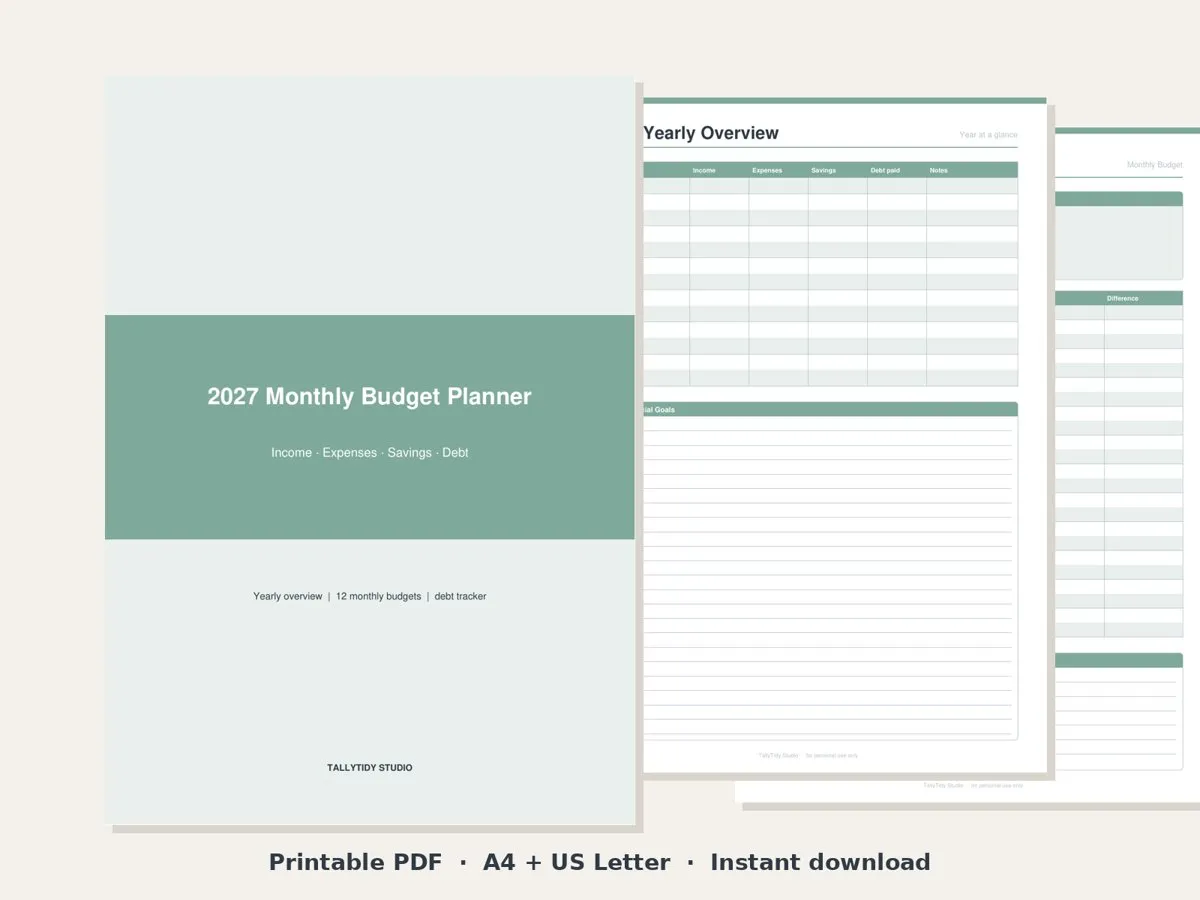
The 2027 Budget Planner printable includes a year overview, bill calendar, monthly budget pages, expense trackers, savings and debt trackers and month-end reviews, in both A4 and US Letter. If you also want daily and weekly planning pages, pair it with the Undated Weekly Planner.
Yes. Start at the current month and do the setup session first; the earlier months simply stay blank.
About an hour at the start of the month, 15 minutes a week, and 20 to 30 minutes for the month-end review.
Most PDF planners work in annotation apps like GoodNotes or Notability, though links and page sizes vary.
General educational information, not financial advice.
Free tool: 50/30/20 budget calculator – split your take-home pay into needs, wants and savings.