A small business bookkeeping spreadsheet is only as good as the routine around it. The layout matters (our guide to setting up a small business bookkeeping spreadsheet covers columns and categories), but most sole traders and side businesses fall behind not because the sheet is wrong, but because entries pile up for months. This article is about the habit: what to do weekly, what to do at month end, and what to have ready at tax time.
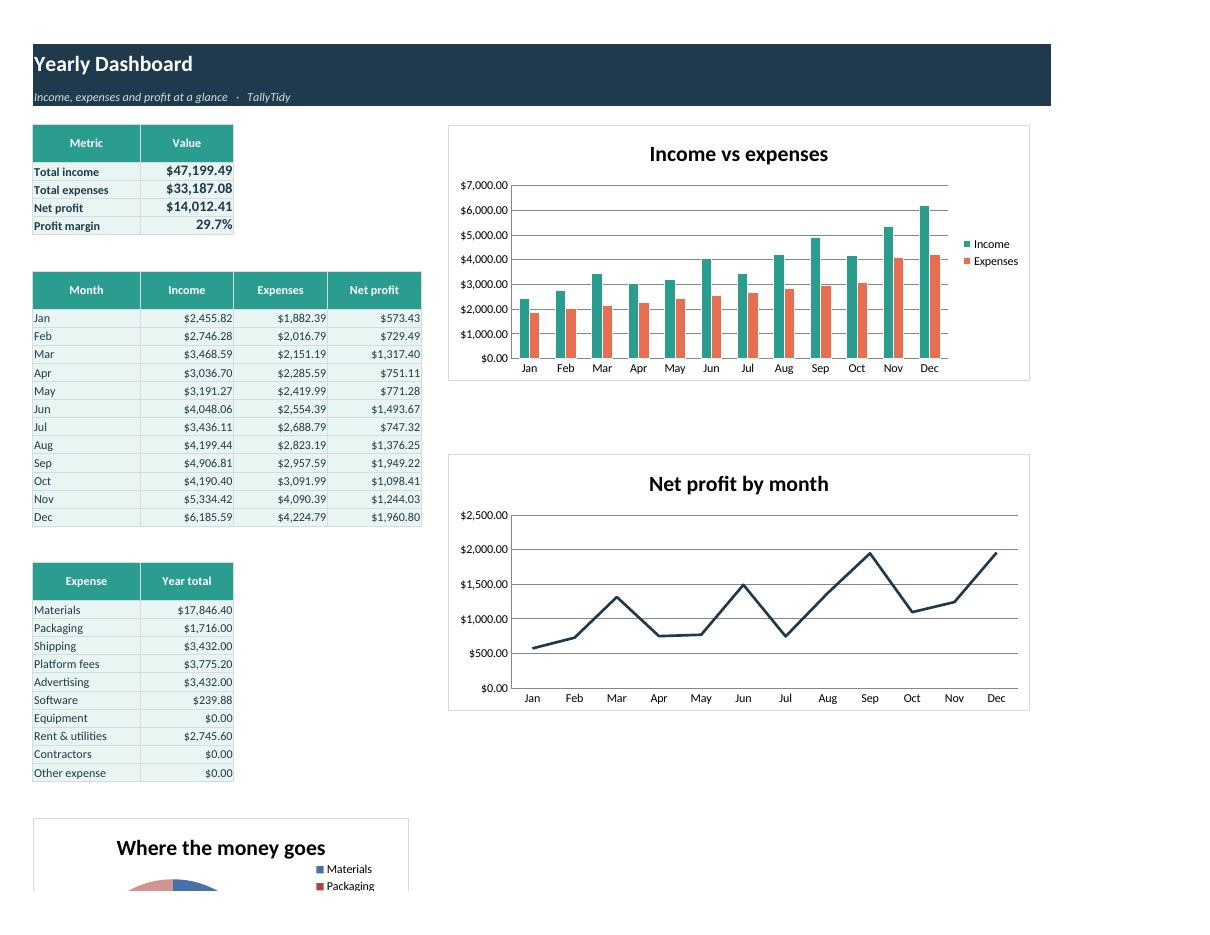
If business and personal spending share one account, every month starts with untangling. A separate business checking account (and card, if you use one) makes everything that follows faster. If that is not possible yet, add a "Business?" yes/no column and be strict about it.
Fifteen minutes a week is easy to protect. Three hours every quarter is not.
Compare the spreadsheet's ending balance with the bank statement. If they differ, look for missing transactions, duplicates or transfers recorded as expenses. Reconciling monthly is what turns a list of numbers into records you can trust.
Your P&L tab should show income minus expenses for the month and year to date, ideally by category with SUMIFS. Ask three questions: did revenue move as expected, did any category jump, and is anything recurring that you no longer use (subscriptions are the usual culprit)?
List anything billed but not yet paid, with the due date. A gentle reminder at the start of each month is easier than a hard conversation at 90 days. Freelancers can use the approach in our freelancer invoice and time tracking guide.
Move an estimate of tax on this month's profit into a separate savings account. The right percentage depends on your situation; a tax professional can help you choose one. Record the transfer so you know what is reserved.
Add a note "Reconciled through [date]" at the top of the sheet. If you later find a missed item, you will know which months to recheck.
Sellers on marketplaces may find our monthly profit and loss guide for Etsy sellers helpful for fee categories.
The Small Business Expense Tracker & P&L has income and expense logs, dropdown categories and a monthly P&L already set up. If you also manage stock, the Inventory & Pricing Tracker covers costs and margins, and both are in the Spreadsheet Bundle.
Copy this into a tab and tick it each month:
Writing even one sentence of notes each month is surprisingly useful at year end, when you are trying to remember why June was so different.
Log weekly, reconcile monthly, set tax aside every month, and keep receipts tied to entries. A small business bookkeeping spreadsheet kept up this way is usually enough for a simple business, and it makes any conversation with an accountant faster and cheaper because the numbers are already organized.
Many small, simple businesses do. As volume, staff or inventory grows, software or a bookkeeper may save time.
Rules vary by country; check your tax authority's guidance or ask an accountant.
Start with the current month so new entries stay clean, then work backward one month at a time using bank statements.
General educational information, not tax or accounting advice.